
Watch it work, no sign-up needed
- These are recordings of real conversations with the assistant, made on 2026-10-06. Nothing on this page calls the AI, so it is instant and free.
- Volunnear is a fictional non-profit. Every listing and person is synthetic test data. The policies the assistant explains are in the help center.
- Text was not edited, except that long dashes were replaced with commas (and line breaks were lost in the third recording). The assistant has been updated since these were recorded.
Choose a conversation
The coordinator's side of a handoff
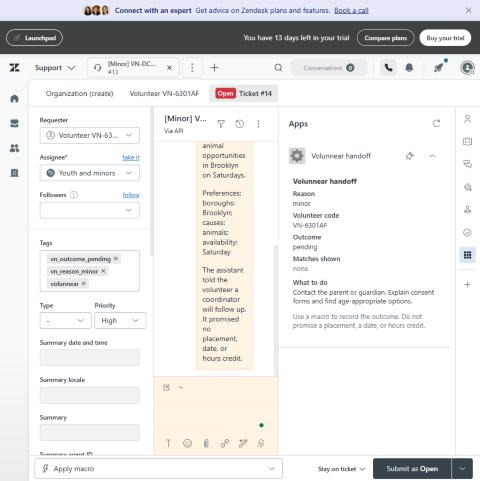
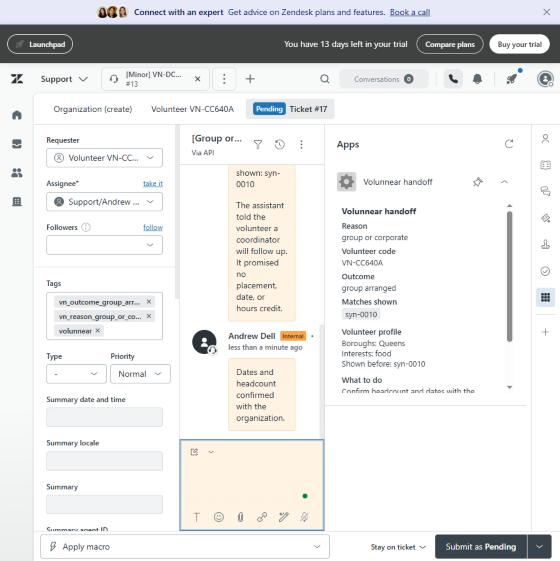
When the assistant hands a conversation to a person, a coordinator sees it in Zendesk. These are screenshots of that workspace (a Zendesk trial, synthetic data). The panel on the right is a small app I built for it.
How it was tested (lab numbers, test traffic)
- 129 scripted conversations, including 26 attempts to break it: 129 of 129 pass. The first run found 5 grader mistakes, which were fixed and rerun.
- All 10 reasons for handing off to a person land in the right Zendesk queue and priority. The coordinator's approve or deny click is recorded, and the volunteer can be told the decision when they asked to be.
- Safety rules live in code, not just in the prompt: a kill switch, age and group rules, consent, verified recipients only, and one message per request.
- The knowledge base returns the right article first for 44 of 44 test questions (after fixing one article that missed).
What is real, and what is not
- Live chat: works, behind a personal access code (see below). It costs about $0.50 per conversation, so codes are limited.
- Email: works, but only to verified test recipients. Text messages: short fixed templates only.
- Phone calls: designed and deployed, but not working yet. This page does not claim otherwise.
- No real volunteers, no real organization, and no production traffic.
Want to try it yourself?
Ask Andrew for an access code, then open the live chat. Each code allows a few chats.